LANDROVER TOPIX Software with RLink X7 Connection Instructions
Tips:You need to install the LANDROVER OEM software before use. If it's not installed yet, you can download and install it from the official LANDROVER website.
1. Open the RLink Platform.Clicking “Login to the Account” will automatically
redirect you to the login page.Log in to the account bound to the RLink X7 device.
Note: After binding and activating the device and downloading the driver, you can use the RLink X7 device to perform vehicle diagnostics without opening the RLink Platform later.
2. Click the settings icon. Then click About to check whether there is an update for the RLink Platform. If yes, click Update.
3. Click Driver > Driver Download. Click LANDROVER and click Download to download the driver.
Note:Download the corresponding driver according to the OEM software. Do not download drivers that are not related to the OEM software.
4. Click Driver > Driver Info. Then click LANDROVER to configure the driver mode.
5. There are two driver modes for LANDROVER.
To use RLink X7 device for diagnostics, select RLink mode.
To use the original JLR-VCI device for diagnostics, select JLR-VCI mode (restore the original driver mode).
6. Double click the icon to open the TOPIX. Then log in to your account.
Note: TOPIX does not support the J2534 diagnostic standar
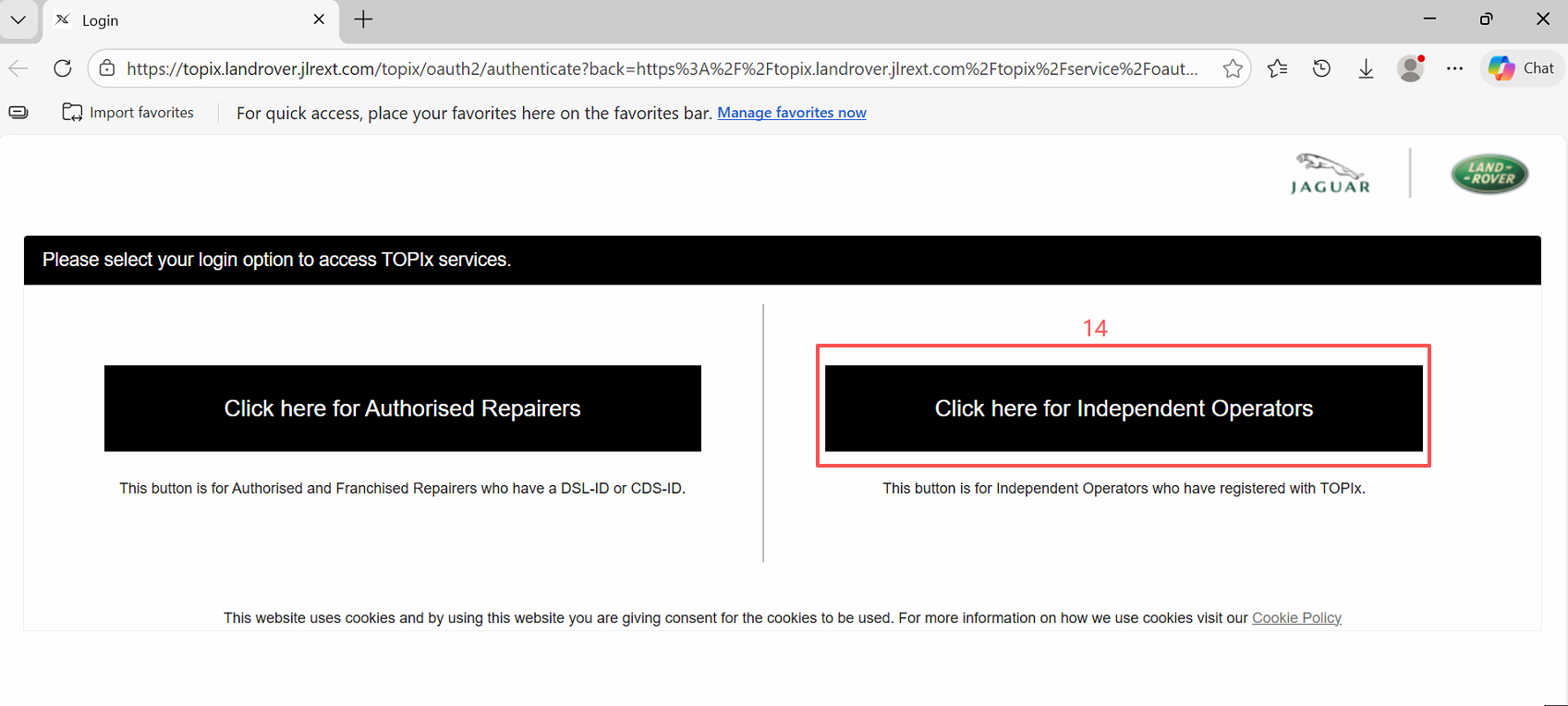
7.Select 【Click here for Independent Operators】 to log in with the account you subscribed to on the Land Rover official website.
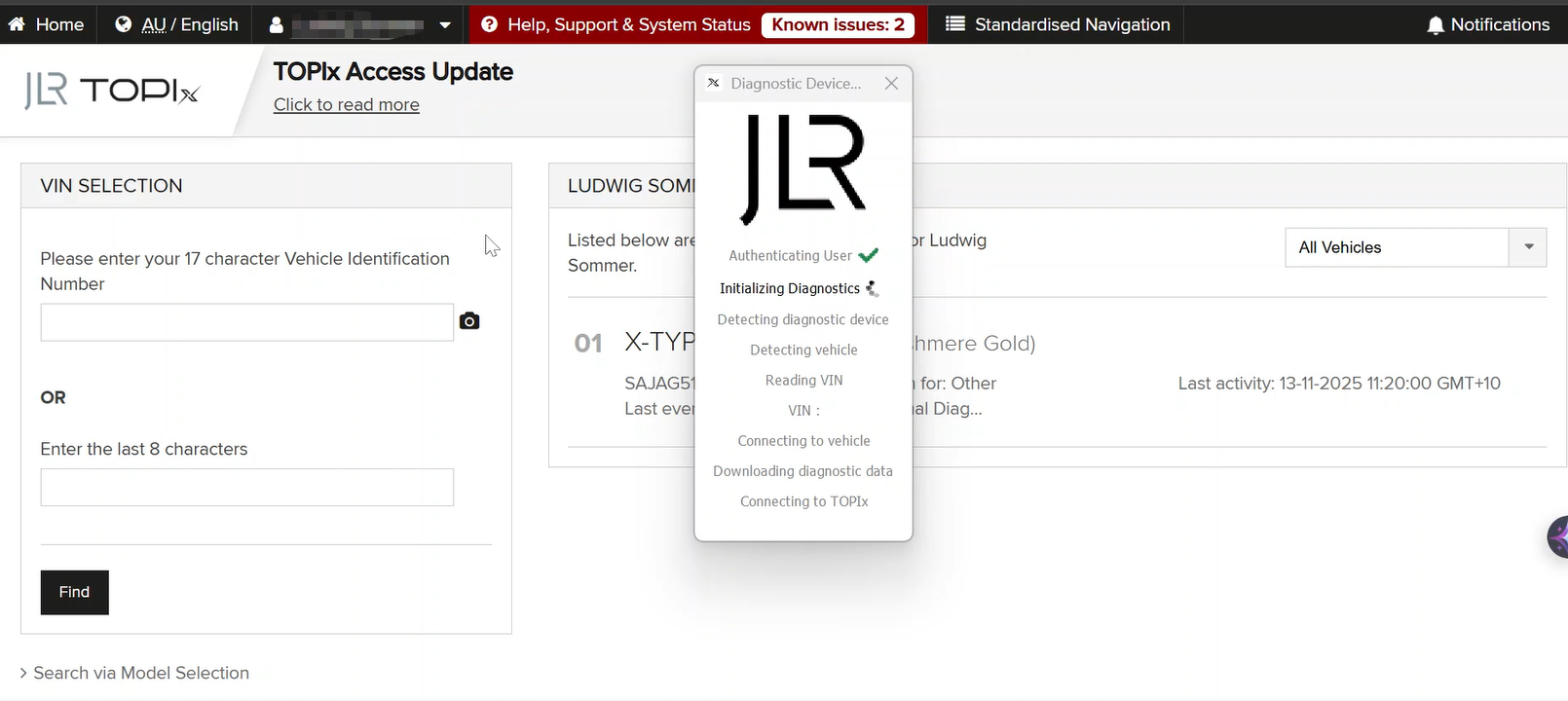
8.After logging in, the system will automatically recognize the vehicle. Once recognition is complete, click [Yes] to successfully enter the vehicle diagnostic system.
If you encounter any problems, you can send an email to support@topdon.com.
Related Articles
LANDROVER OEM Software with RLink J2534 Connection Instructions
Tips:You need to install the LANDROVER OEM software before use. If it's not installed yet, you can download and install it from the official LANDROVER website. https://topix.jlrext.com/topix/ui/mylinks 1. Open the RLink Platform.Clicking “Login to ...LANDROVER OEM Software with RLink Lite Connection Instructions
Tips:You need to install the LANDROVER OEM software before use. If it's not installed yet, you can download and install it from the official LANDROVER website. https://topix.jaguar.jlrext.com/topix/vehicle/lookupForm 1. Open the RLink ...LANDROVER OEM Software with RLink X7 Connection Instructions
Tips:You need to install the LANDROVER OEM software before use. If it's not installed yet, you can download and install it from the official LANDROVER website. https://topix.jaguar.jlrext.com/topix/vehicle/lookupForm 1. Open the RLink ...LANDROVER OEM Software with RLink Connection Instructions
1. Open the RLink Platform and click Login, it will automatically jump to the login screen upon the first use. Log in to the account bound to the RLink device. Note: After binding and activating the device and downloading the driver, you can use the ...LANDROVER OEM Software with ONE VCI Connection Instructions
Tips:You need to install the LANDROVER OEM software before use. If it's not installed yet, you can download and install it from the official LANDROVER website. https://topix.jlrext.com/topix/ui/mylinks Note: When used with OEM software, the ONE VCI ...